Flexi Membership Instructions


REDEEM YOUR FLEXI MEMBERSHIP
1. Select your preferred game
Visit the Ticketek website and select the UC Capitals home game you wish to attend.
2. Enter your redemption passcode/s
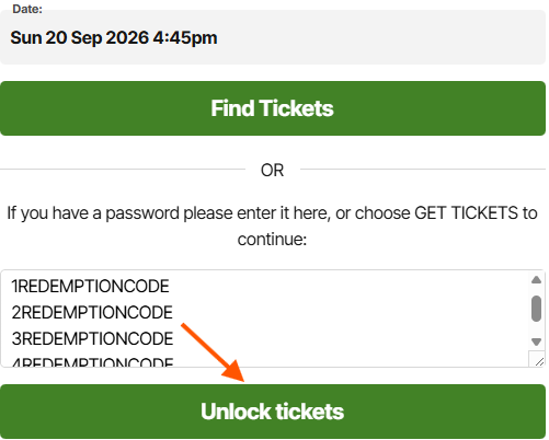
Enter your redemption code/s into the password box and select ‘unlock tickets’.
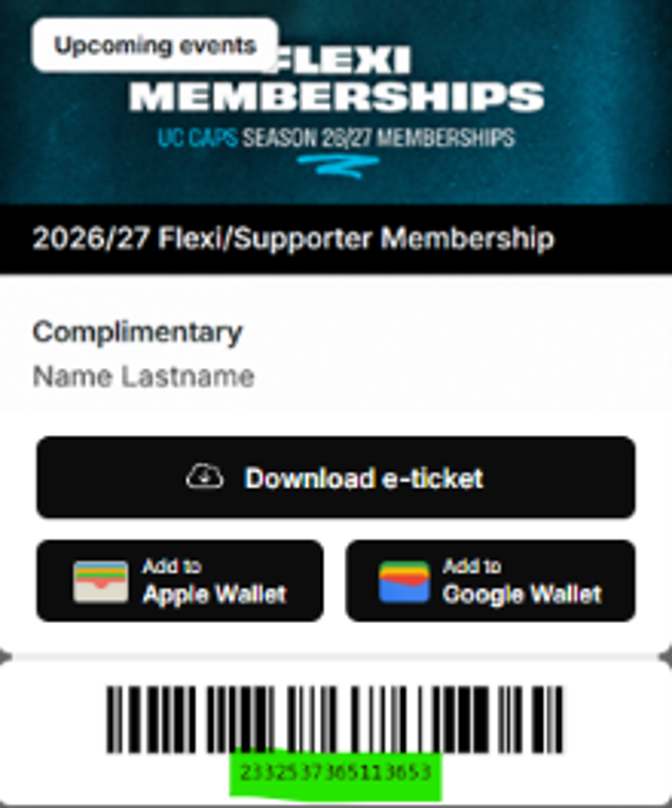
TO FIND YOUR REDEMPTION CODE:
Your redemption code can be found in the membership portal, under the barcode on your digital membership card which is accessible under ‘Orders’.
3. Select your seats
You have the option to ‘choose your own’ or ‘find best available’.
'CHOOSE YOUR OWN':
Please select your preferred seat on the map (coloured seats are available).
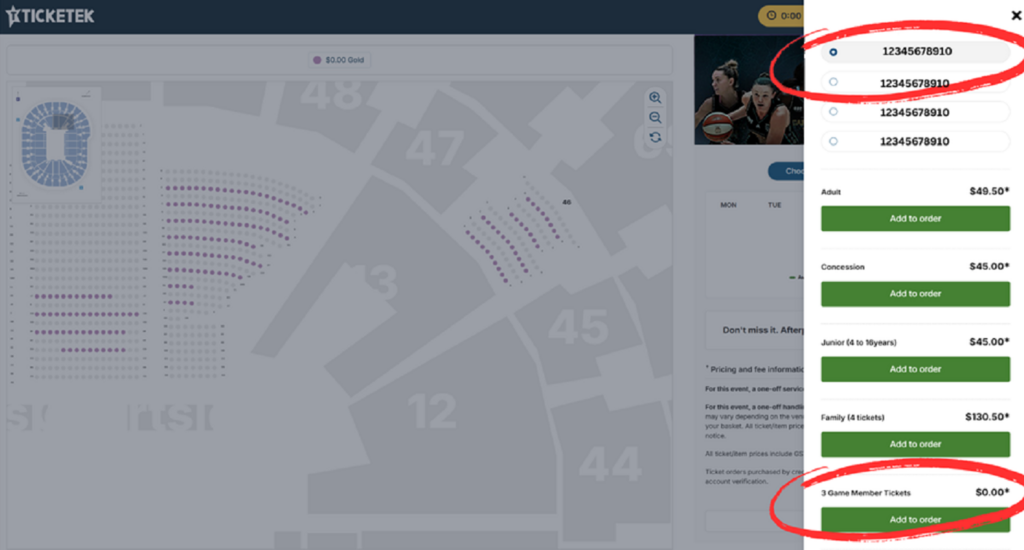
Once your seats are selected, choose ‘3/5 game member tickets’ for $0.00 from the list.
If redeeming multiple seats – select another seat, then select the next password on the list before selecting 3/5 game member tickets.
Repeat this for all member seats.
'FIND BEST AVAILABLE':
Select your membership category with the $0.00 displaying under the list of categories.
Select ‘3/5 game member tickets’.
If redeeming multiple seats, repeat this step from each list displayed.
4. Purchasing additional seats
If you wish to add-on additional paid tickets for family and friends, please repeat the process for either ‘choose your own’ or find best available’ however, you will need to select ‘adult’, ‘junior’, ‘family’, or ‘concession’ from the list for the additional tickets you wish to add on.
5. Receive your tickets
Please choose how you prefer to receive your tickets – ezyTicket or mobile.
6. Sign in to your Ticketek account
Sign in or create a Ticketek account and ensure your details are up to date to receive your tickets via phone or email.
You can log in to your Ticketek account before redeeming tickets or during the checkout process.
Once redeemed, tickets will appear in your Ticketek account.
Get Social
Major Partners












Partners




.png)



.png)












.png)